A word-by-word line printed under the original breaks on the first sentence that is not trivial. While the translation runs word for word, the columns line up. Change the word order and they drift apart. One source word turns into three, three words collapse into a single morpheme, and the table starts lying: the reader sees pairs that were never there.
Word Aligner answers that with lines. Rows sit one under another, and the correspondences are drawn as connectors that cross, fan out from one word to several, and converge back. You see the structure, not only the meaning. Linguists call this word alignment, or bitext alignment; teachers and learners usually reach for a different phrase: so that is where that word came from.
How it works
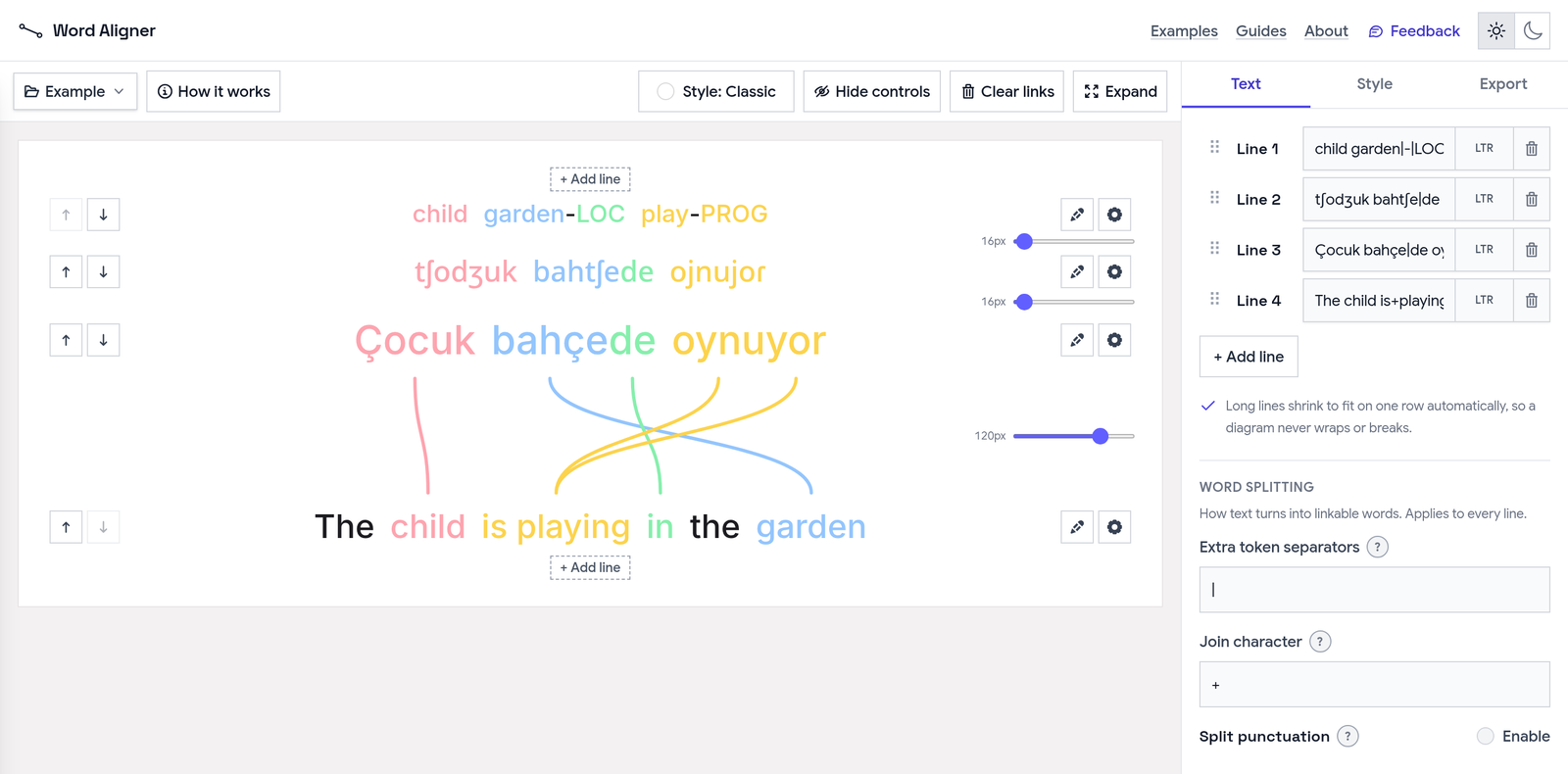
Lines are typed or pasted in the editor, and each one is its own row. You click a word, then click its match on an adjacent line, and a connector appears between them. Only neighbouring rows link, so if the pair you need is two rows away, arrows move a row up or down. Clicking a connector again removes it.
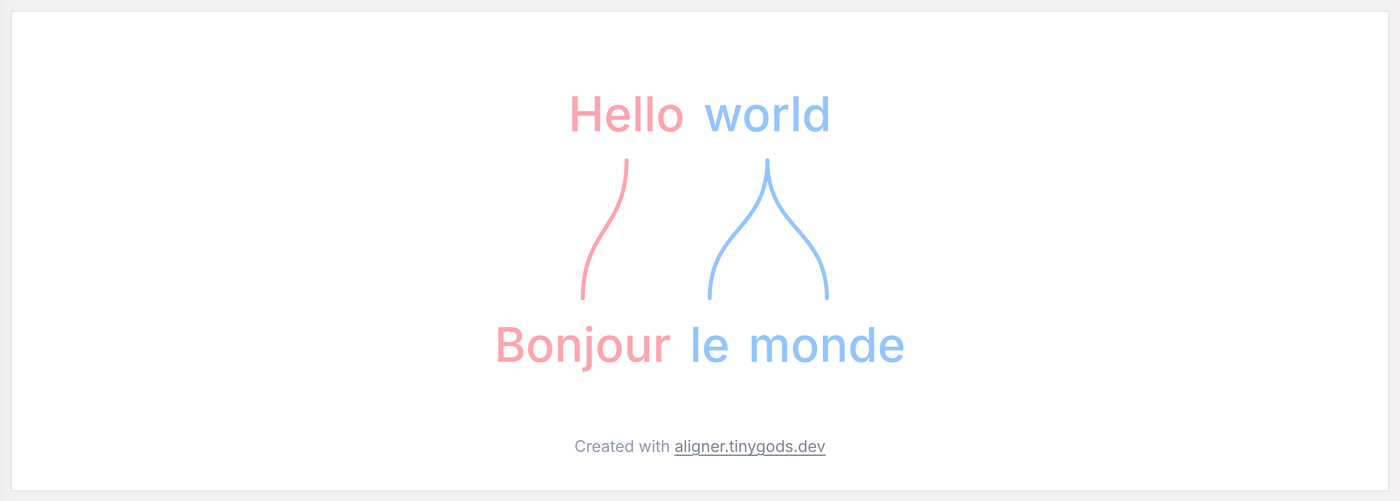
The basic case: one source word linked to two words in the translation.
There can be more than two rows. The classic interlinear record is built from four: morpheme glosses, transcription, source, translation. Each row gets its own type size, so glosses stay small while the source sentence reads large. A long line shrinks to fit a single row automatically, which means a diagram never wraps or breaks in the middle.
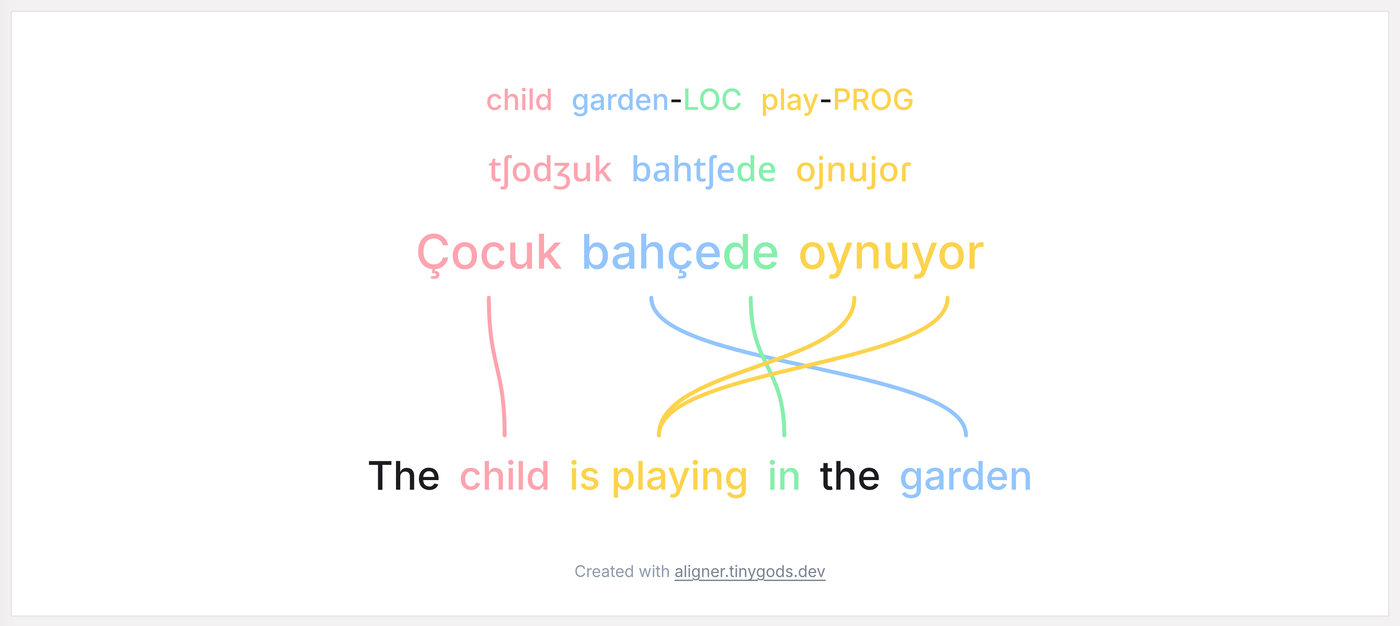
A four-tier record: glosses, IPA, Turkish source, English translation. The word order diverges, so the connectors cross.
A separate group of settings decides how text becomes linkable words. You can add your own separators, set a join character so a hyphenated compound or a short fixed phrase like “New York” stays one element, and turn punctuation splitting on or off. This matters for languages where morphology does not follow the spaces: Tagalog compounds should not fall apart at every dash, while Turkish affixes are often worth separating.
Writing in any direction
The app does not assume every line runs left to right. Hebrew and Arabic stand next to English with the links computed correctly and no manual reordering. Japanese vertical writing sits beside a horizontal line, and traditional Mongolian works the same way. A conlang can bring its own font.
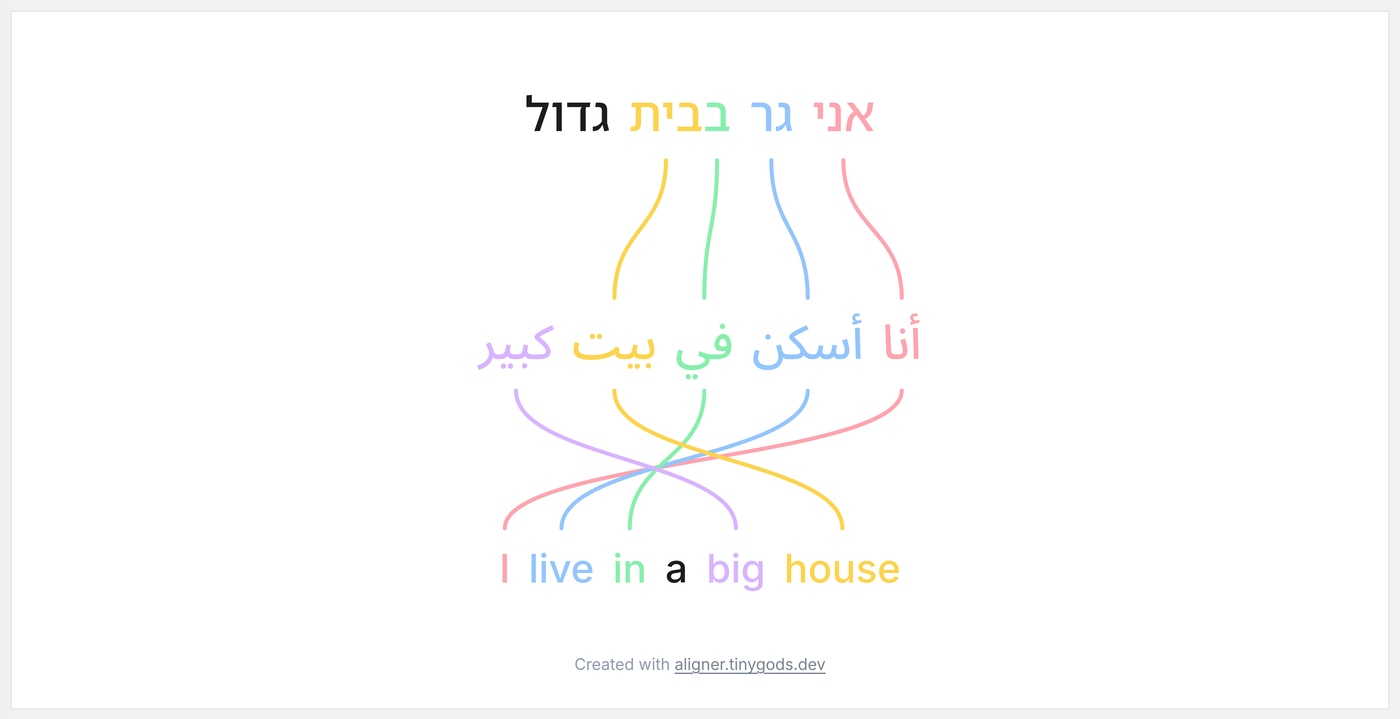
Two right-to-left lines against one left-to-right: bound prepositions and adjective placement show up immediately.
What comes out of it
The diagram exports as PNG and SVG for a post or a slide, as PDF for a handout, and as a self-contained HTML file that opens without a connection. There is also a link: the text and every connector live in the URL itself, so you can send a student or a co-author the diagram and they open it in the editor rather than as a picture. Edits after that take two minutes instead of a rebuild.
The app is free and needs no account. Light and dark themes are there, along with a few connector styles, for when the diagram goes into designed material.
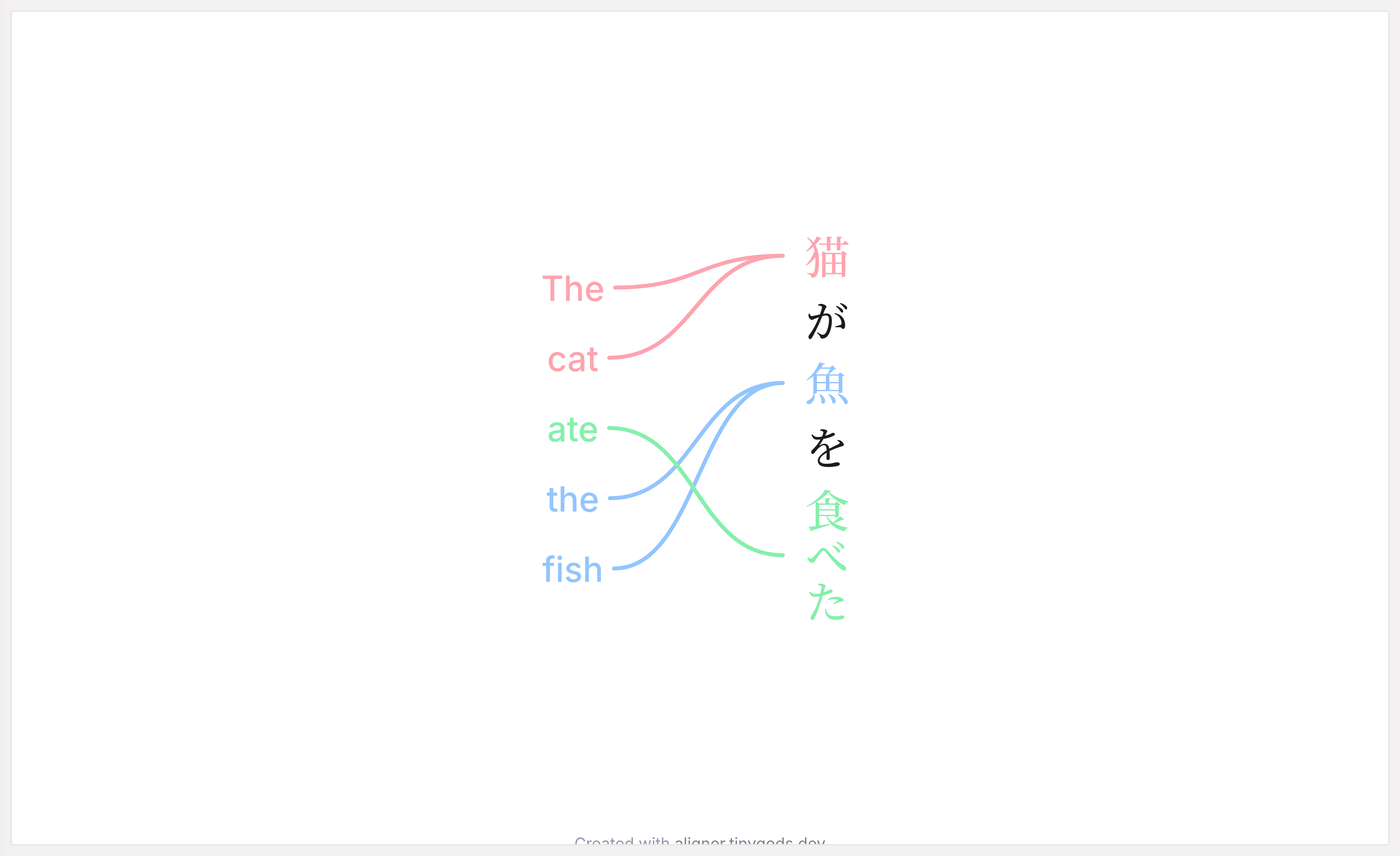
Tategaki beside a horizontal line: Japanese SOV order against English SVO.
Who it is for
A teacher explaining to a class why a translation works the way it does, then handing out the diagram as a PDF. A learner taking a hard sentence apart and keeping the breakdown in their notes. A linguist who needs an interlinear record that follows the Leipzig rules for a paper or a talk. A conlanger showing the grammar of an invented language so that others can read it without a page of preamble.
The tool does one job and does not try to become a corpus manager or an annotation environment. There are no projects, no annotation layers, no collaborative editing. There is a sentence, its correspondences, and a picture you can show.
Where it came from
Dani takes part in a conlanging community on Reddit. Diagrams like these come up there constantly: people show the grammar of an invented language through the correspondences between lines, because a list of rules takes twice as long to explain. There was no convenient tool for building them. That is where Aligner came from.
It also explains features an ordinary translation tool would never need: a custom font for an invented script, vertical lines, control over what counts as a separate word. In a community where every language is put together differently, those turn out to be requirements rather than decoration. Teachers and learners arrived later, and their problem turned out to be the same one.
How it is built
Three problems in this tool turned out to be more interesting than they looked from outside, and each one has its own note. Splitting a line into words: split(' ') falls apart on the first real sentence, so the tokenizer grew into a function with settings, written up separately. The connectors: the text stays ordinary HTML, so the browser wraps and resizes it, which means the SVG layer measures where the words landed before drawing any arcs. The link: there is no database behind the share button, since the whole alignment is packed into the URL itself.
More from the app
The example gallery holds over twenty breakdowns: language pairs, glosses with transcription, right-to-left scripts, vertical writing, Tagalog reduplication, Latin zero morphemes. Each one opens in the editor in full, with its text and links intact. For the theory, there is a reference on the Leipzig glossing rules, a walkthrough on glossing a conlang, and a page on vertical writing.